┌─[bwai@showcase]─[~/projects/pastebin]
└─$ cat info.txt
> Cloudflare Worker Pastebin
A guide and code for setting up a simple pastebin service using Cloudflare Workers.
AUTHOR: @Liew @FrensNetwork
DATE: 12-02-2025
TAGS:
$ display screenshot.png
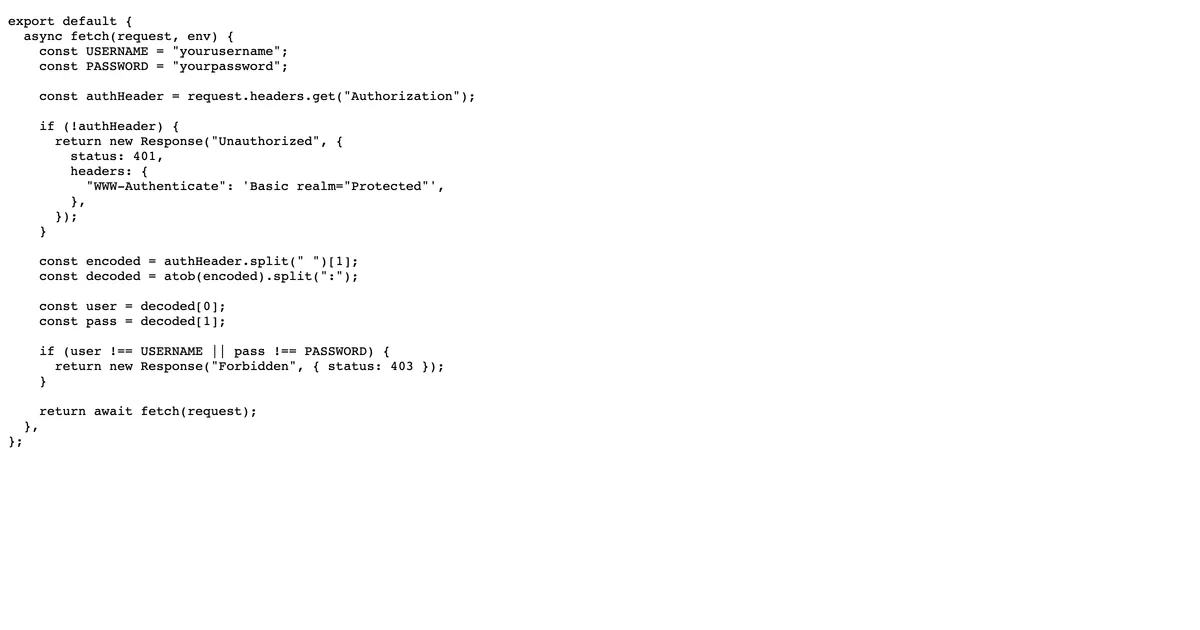
┌─[DOCUMENTATION]
└─$ cat README.md
About
A tutorial and code snippet for deploying your own pastebin-like service using Cloudflare Workers. Perfect for those already using Cloudflare.
How to Deploy
- Create and deploy Cloudflare Worker: Cloudflare Dashboard → BUILD → Compute & AI → Workers & Pages → Create application → Start with Hello World! → Deploy
- Edit the Hello World worker’s code with the pastebin code
- Bind the Worker to your domain: Cloudflare Dashboard → Domain → Workers Routes → Add route
Features
- Serverless pastebin
- Runs on Cloudflare Workers
- Fast and free tier available
- Custom domain support
Code
View the code: Pastebin Code
[OK] Project loaded successfully
| _